Driver Earnings & Remittances
Review outstanding driver earnings, select completed jobs and record remittances after paying your driver separately.
Drivers → Payments → Review earnings → Pay driver separately → Select earnings → Pay selected → Confirm → Record remittance reference
Open the driver Payments page
Go to Drivers. On the driver’s card, select Payments. The card also provides Edit driver for driver details and Invite driver to send the Driver App invitation.
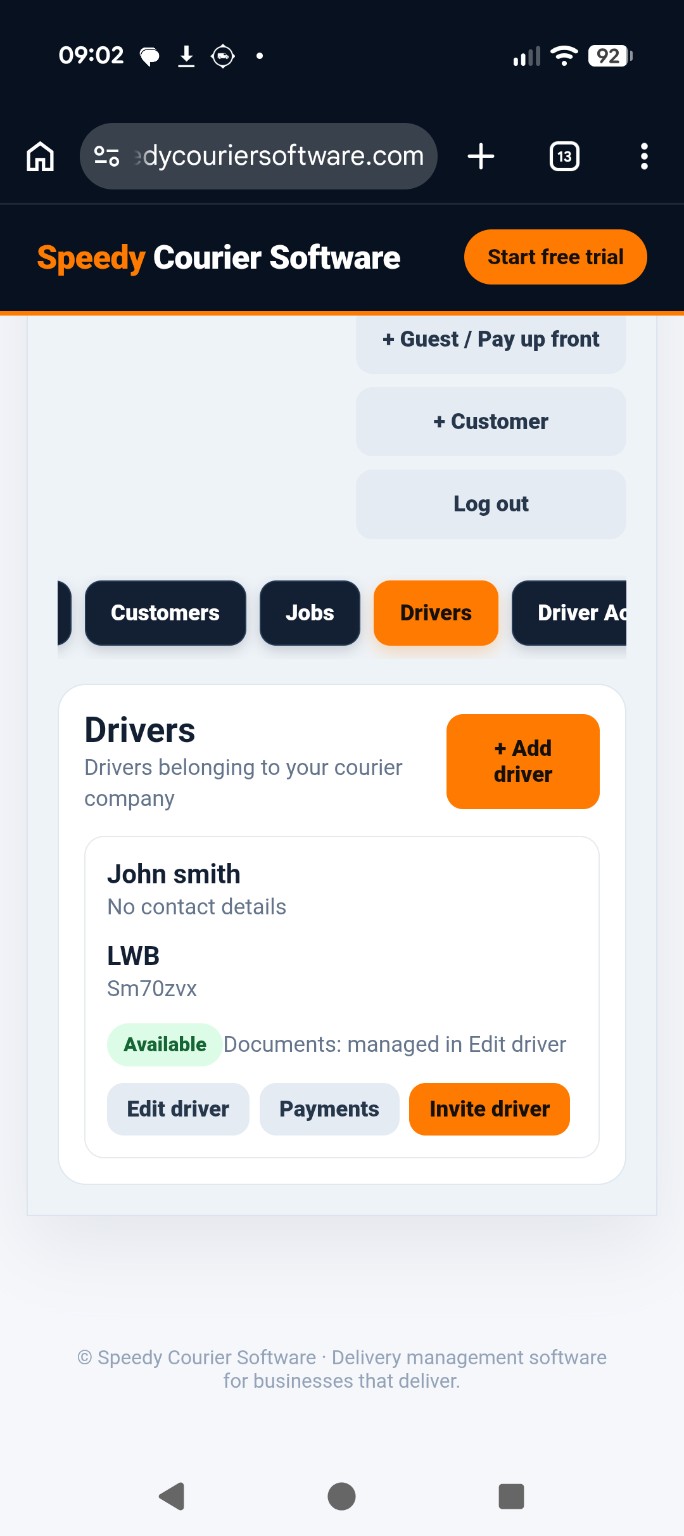
Review the outstanding balance
The Outstanding balance shows earnings that have not yet been marked as settled. Review the Payment reference and Payment date, and add optional Notes for your records. Use Back to drivers to return without recording a settlement.
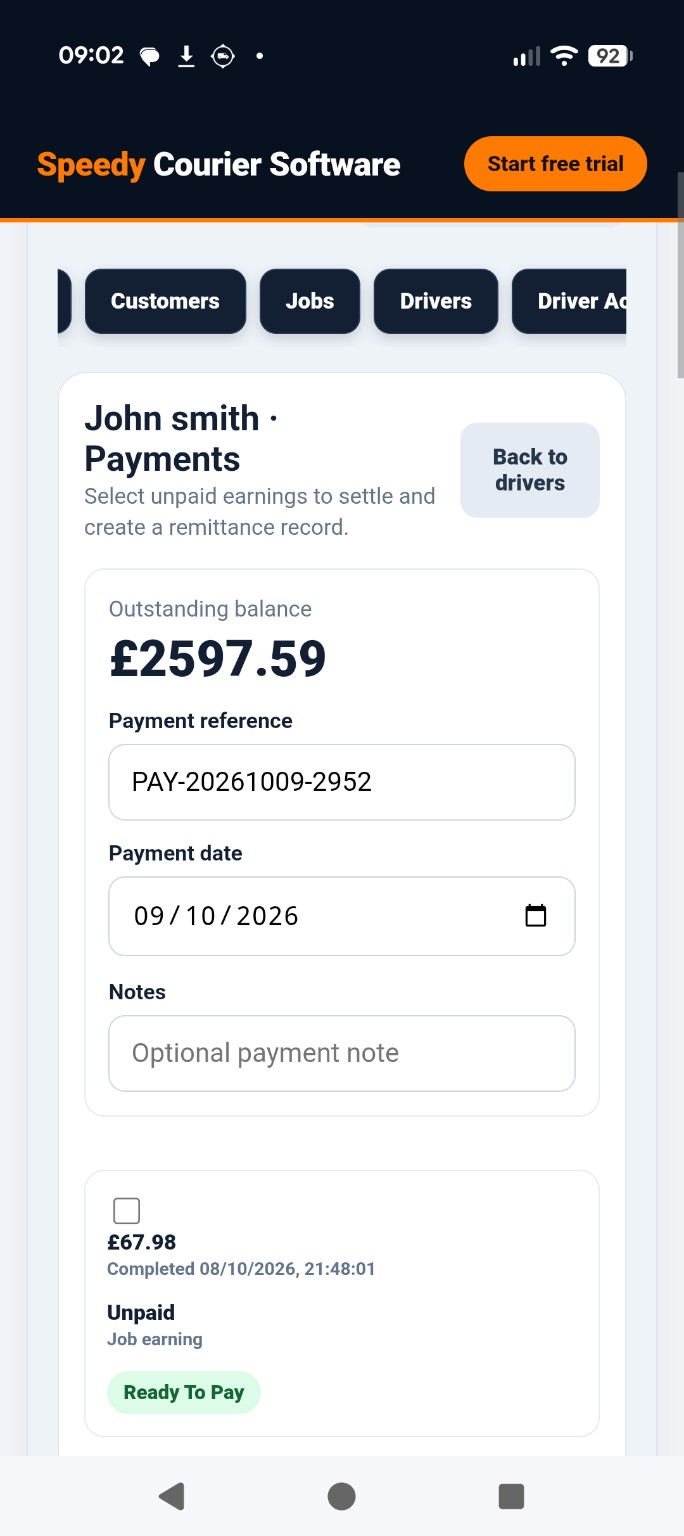
Review unpaid earnings
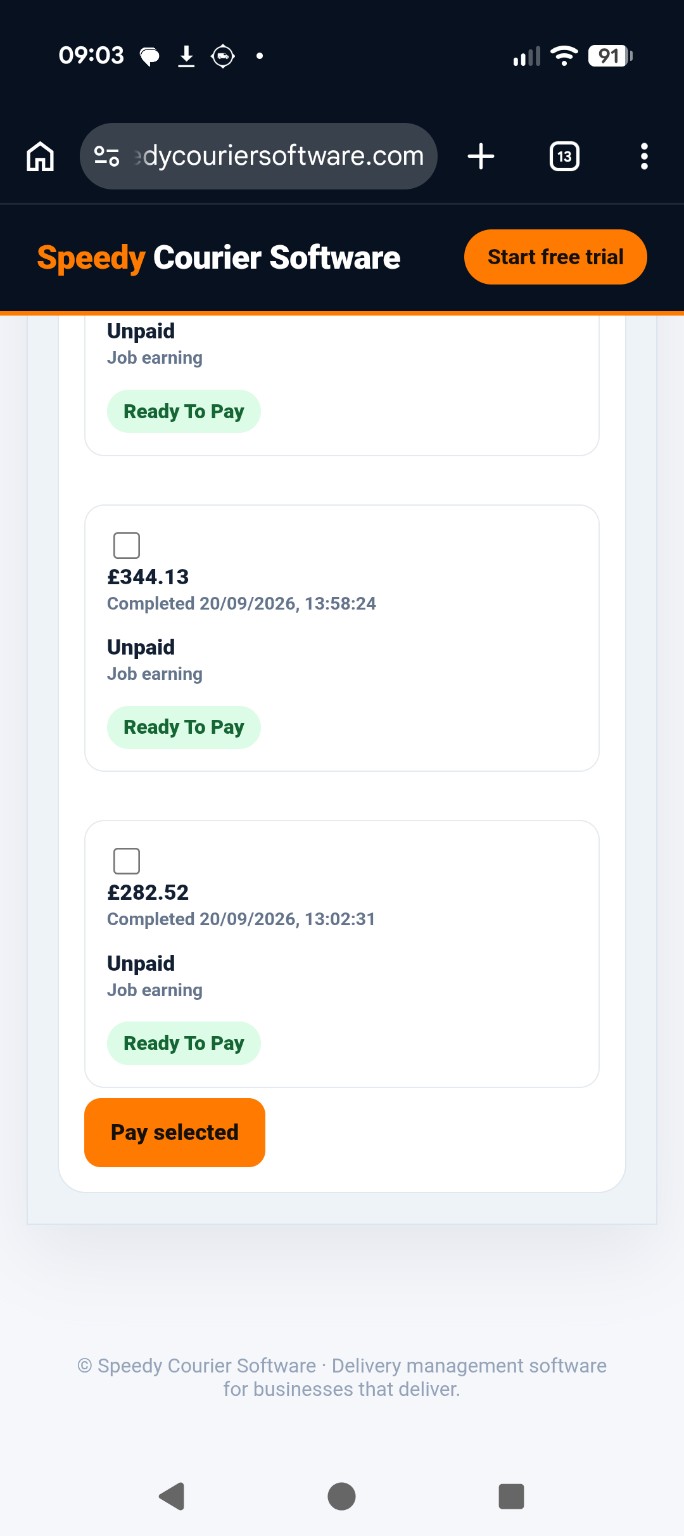
Scroll through the job earnings cards. Each entry shows the earnings amount, job completion date and time, Unpaid status and a Ready To Pay indicator. The checkbox on each card lets you choose which earnings to settle.
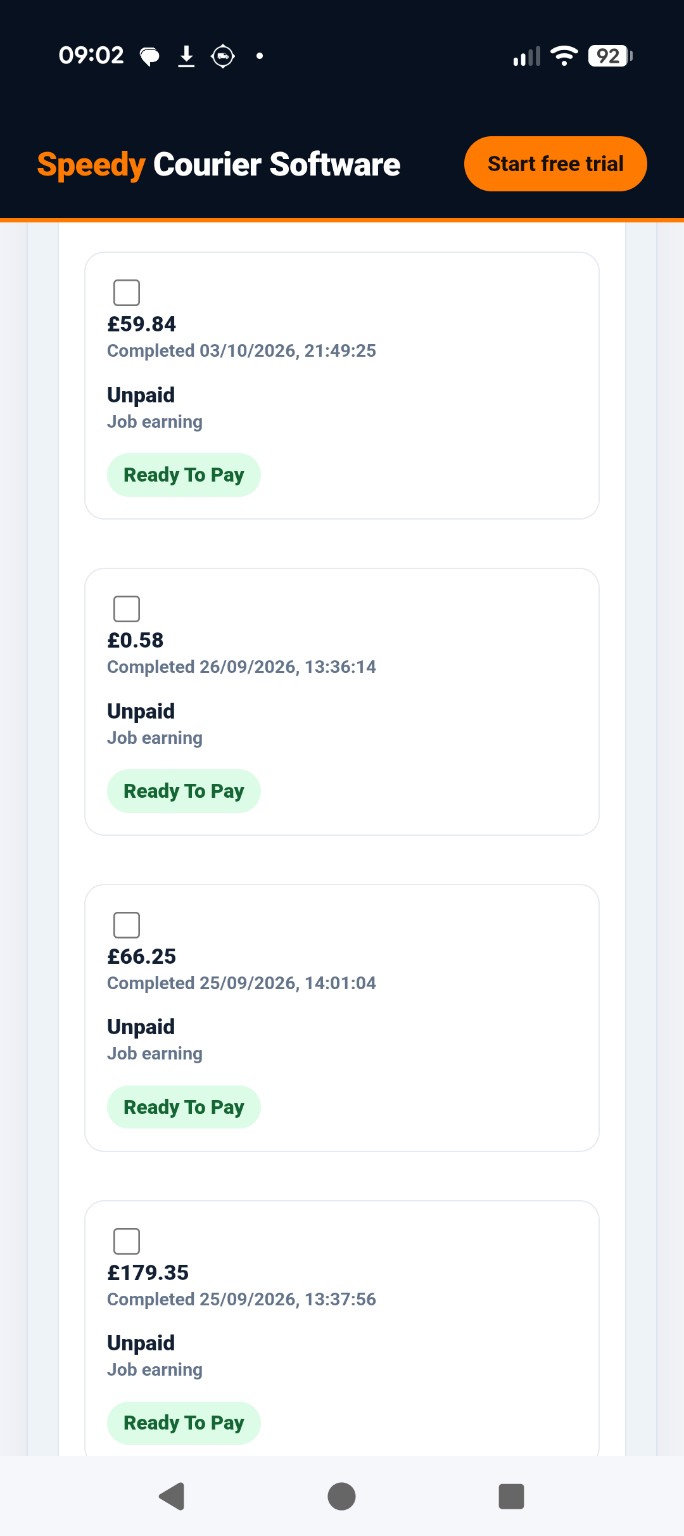
Select the earnings to settle
Tick the checkbox beside each earning you want to include. You can select one earning or several. Review the amounts carefully before proceeding; earnings not selected remain unpaid in the software.
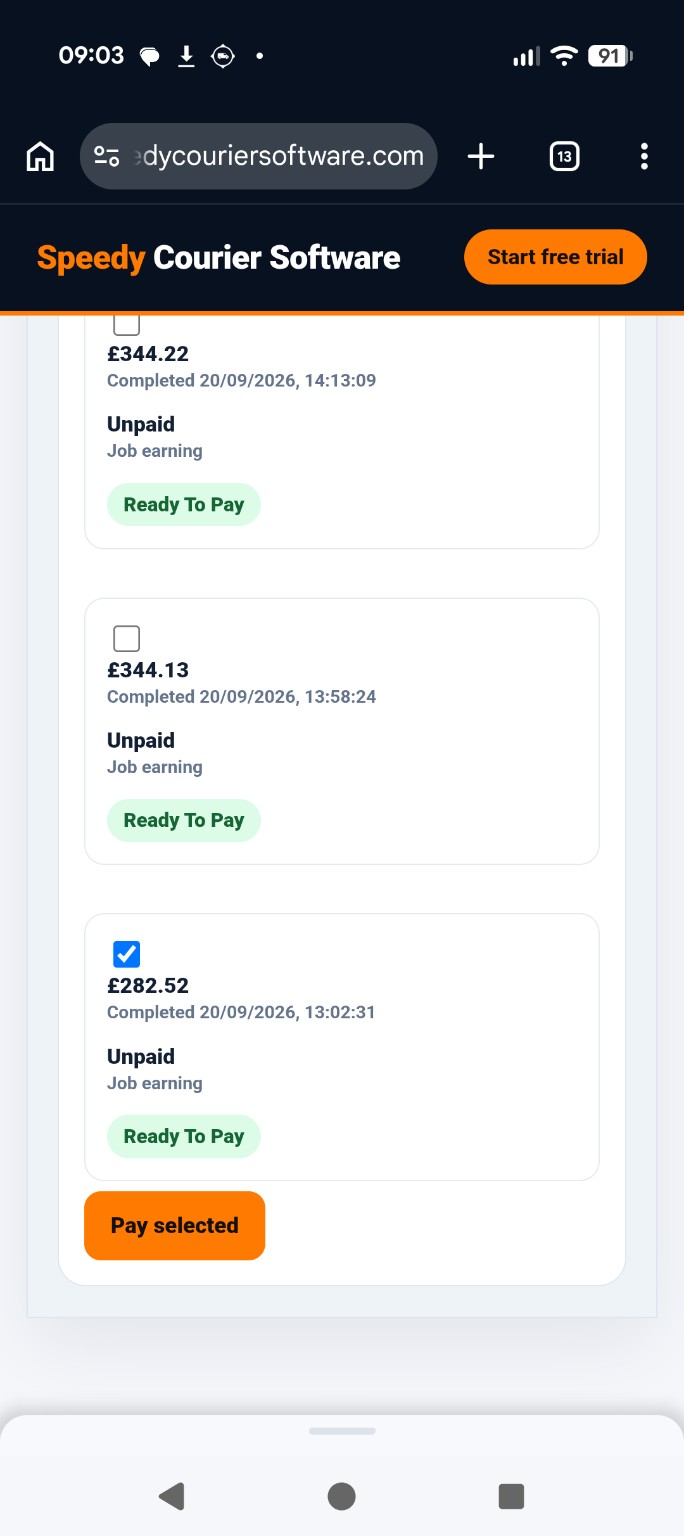
Record the settlement
After making the actual payment separately, press Pay selected at the bottom of the list. This starts the process of recording the selected earnings as settled; it does not send funds to the driver.
Confirm the payment record
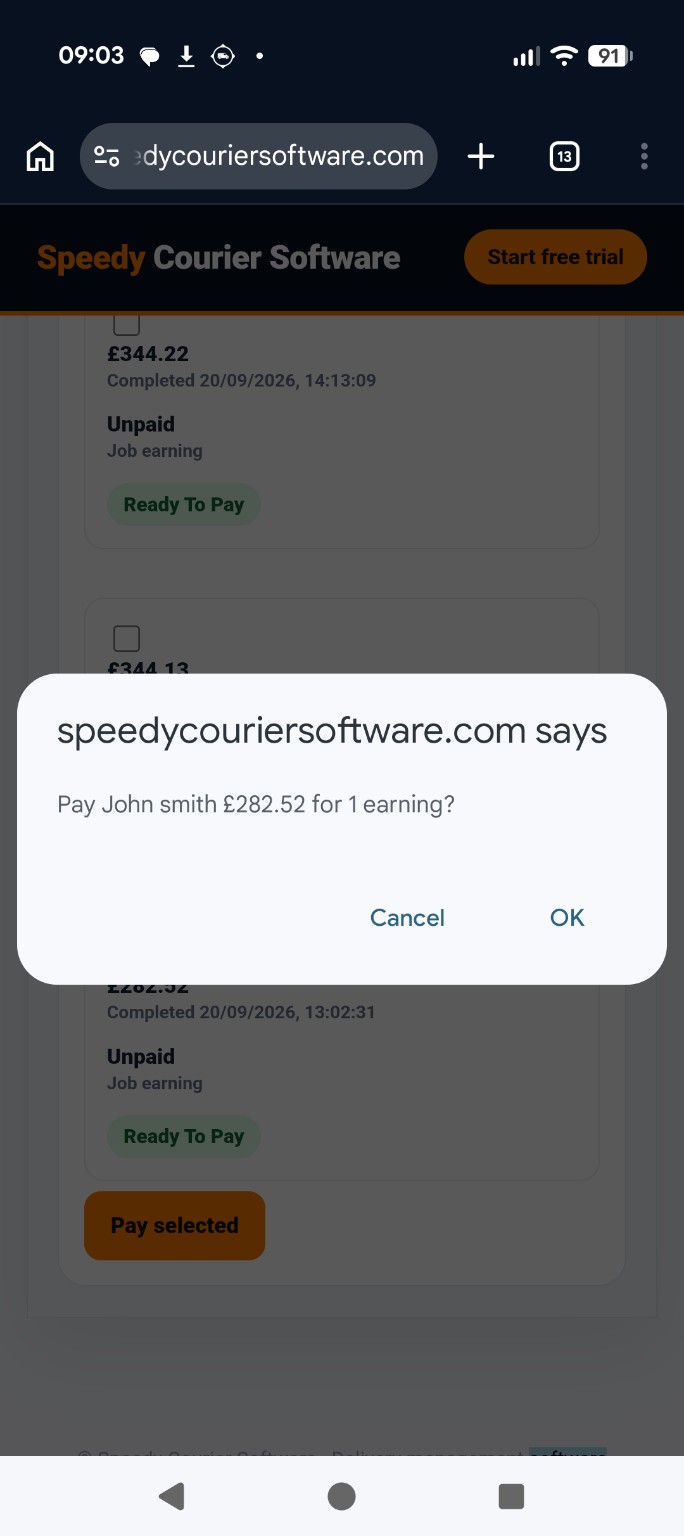
A confirmation dialog shows the driver, total and number of selected earnings. Check that the amount matches the payment you have already made. Choose OK to confirm or Cancel to return without settling.
Check the remittance confirmation
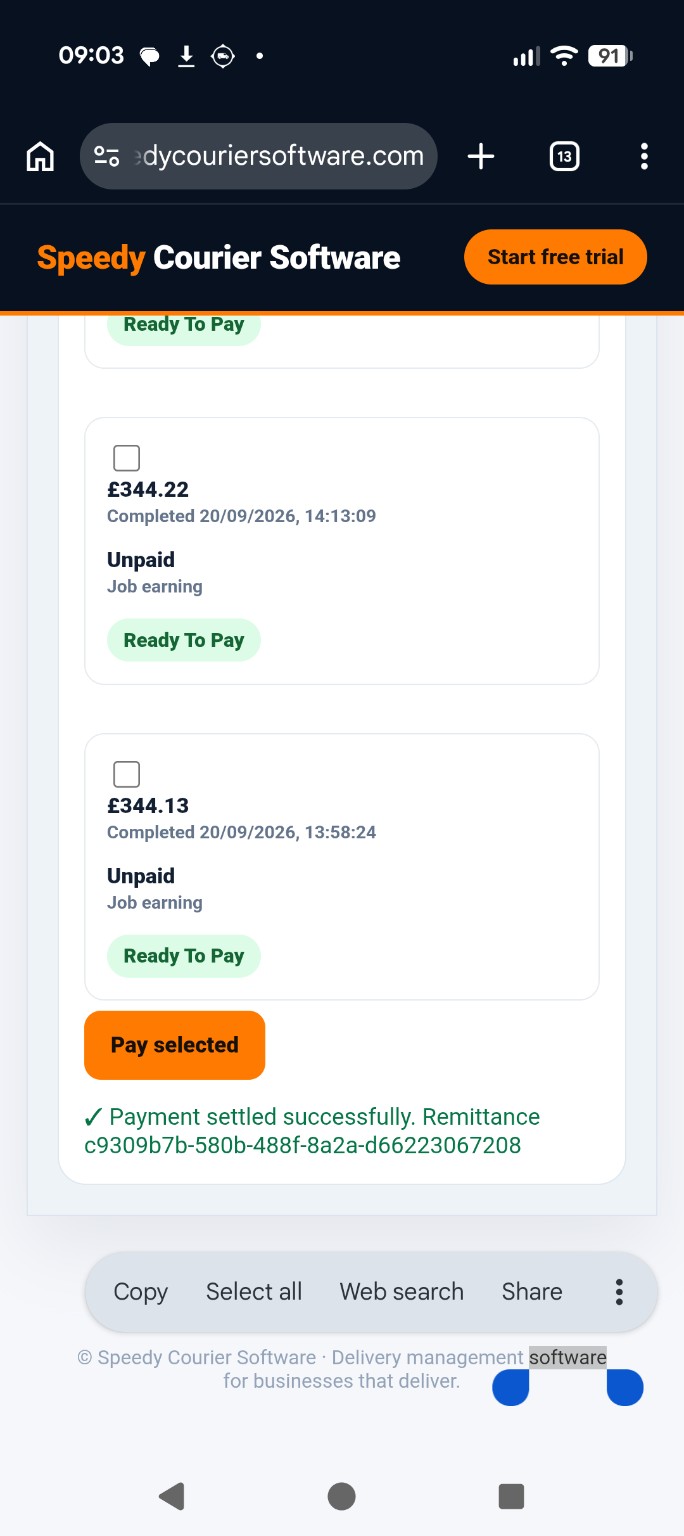
After confirmation, the page shows Payment settled successfully and a Remittance reference. Keep this reference with your separate bank payment record for reconciliation.
Keep payment and remittance records together
The successful remittance confirms that selected earnings were recorded as settled in Speedy Courier Software. It is not evidence that a bank transfer was made. Keep the separate payment confirmation for your accounts.