Support & Help Tickets
Contact Speedy Courier Software Support without leaving the software, follow the conversation and see when your issue has been resolved.
Support → New support ticket → Describe the issue → Follow replies → Reply if needed → Resolved
Open Support
Select Support from the Office navigation. The Support page shows your existing tickets and their current status. Select a ticket to open its conversation, or choose + New support ticket when you need help with something new.
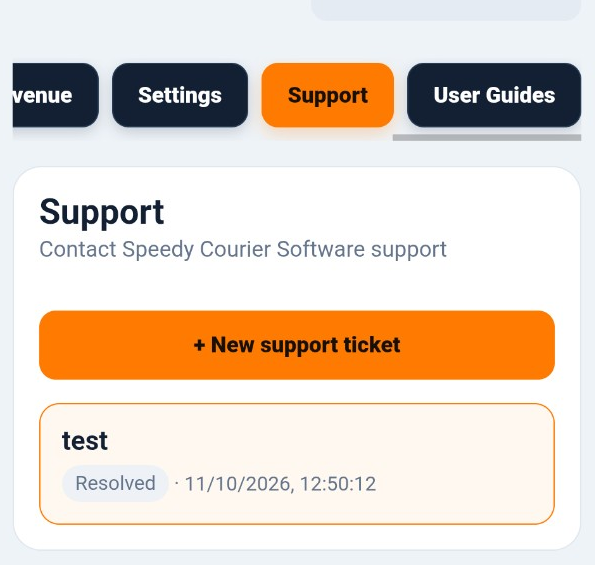
Raise a new support ticket
Tap + New support ticket and describe what you need help with. Give the issue a clear description so Speedy Support can understand what you need. Tap OK to create the ticket.
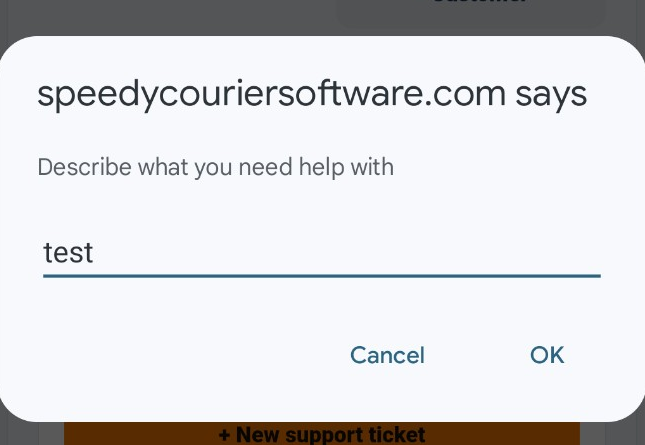
Follow the conversation and reply
Open the ticket to see the conversation. Your messages are labelled You, while replies from us are labelled Speedy Support. When you need to respond, type into the Reply box and select Send reply.
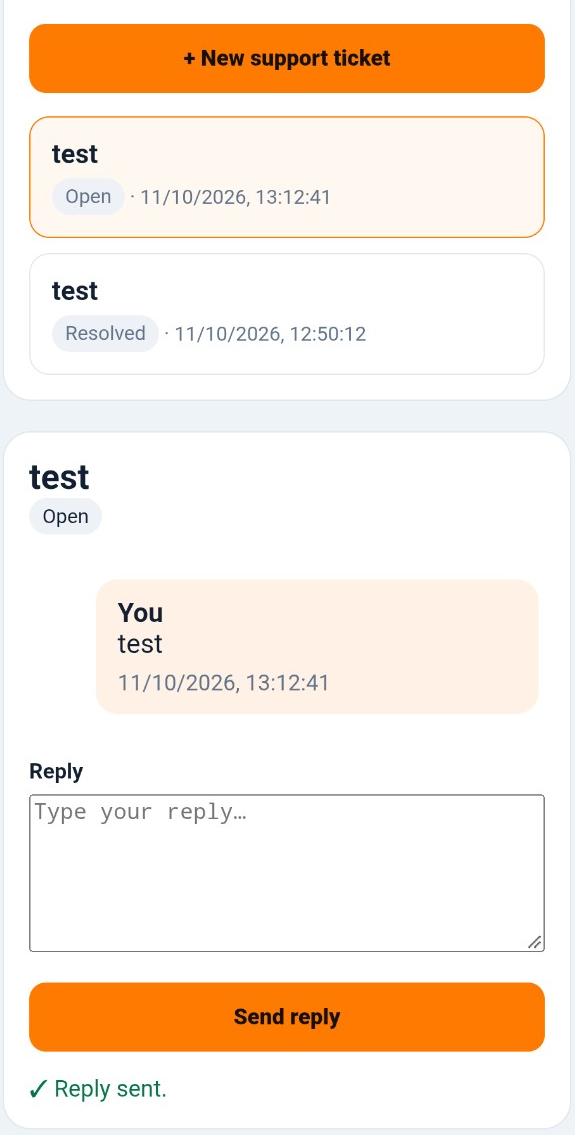
Check the ticket status
The status shown with each ticket tells you where it stands. Open means the support conversation is active. Awaiting customer means Speedy Support has replied and is waiting for information or a response from you. Resolved means Speedy Support has marked the issue as completed.
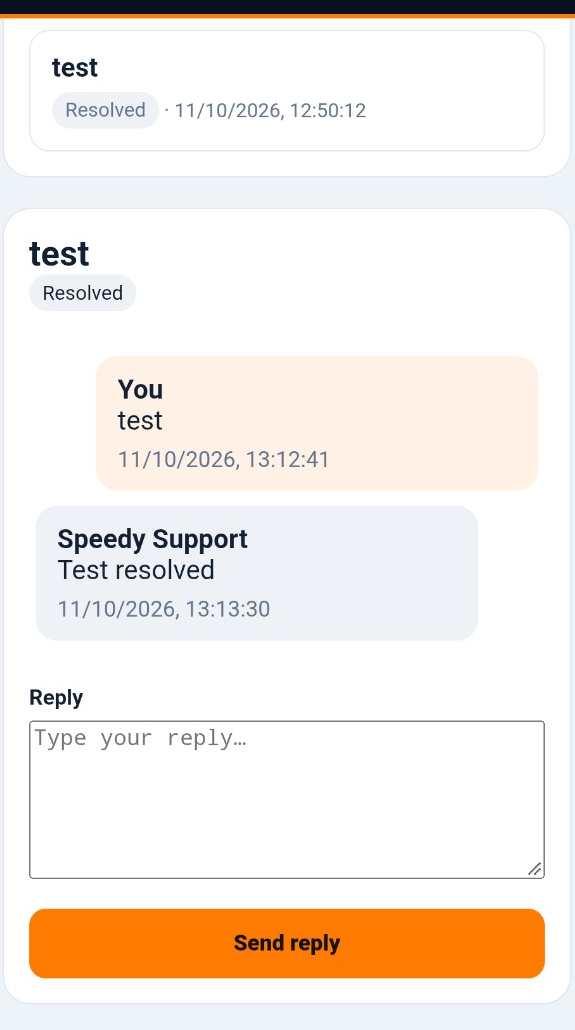
Your support history stays inside Speedy
You can return to Support at any time to review previous conversations. If a new or separate problem arises, create a new ticket so it can be handled independently.